Football training
Talent shows up on game day. Garra shows up every day in between.
Garra is the training app for the football player who's still out there after practice ends: the wall, the cones, the extra twenty minutes nobody scheduled. Those minutes deserve a clock, a heart-rate number, and a record of what they added up to. That's the whole app. Named for football's own word for grit.
Coming to iPhone. Entrena con garra. Train with claw.
The session is the product
Build it. Schedule it. Work it. Keep the record.
Other apps show you a drill. Garra is the session you actually run — on the field, with a clock that stays honest.
-
01
Build
Run a session you already have, stack one from the catalog, or write a drill yourself. Sets, work, rest, reps.
-
02
Schedule
Give every session a day and a time, or keep a dateless queue and run the next one whenever you reach the field.
-
03
Work
Timers and alarms on iPhone. Apple Watch as the remote and the sensor. A chest strap if you want one.
-
04
Record
Time by category, left/right numbers, HR zones, sprint times. Share a card, send it to Strava, or keep it to yourself.
Build it
Sessions built drill by drill, the way a coach writes them.
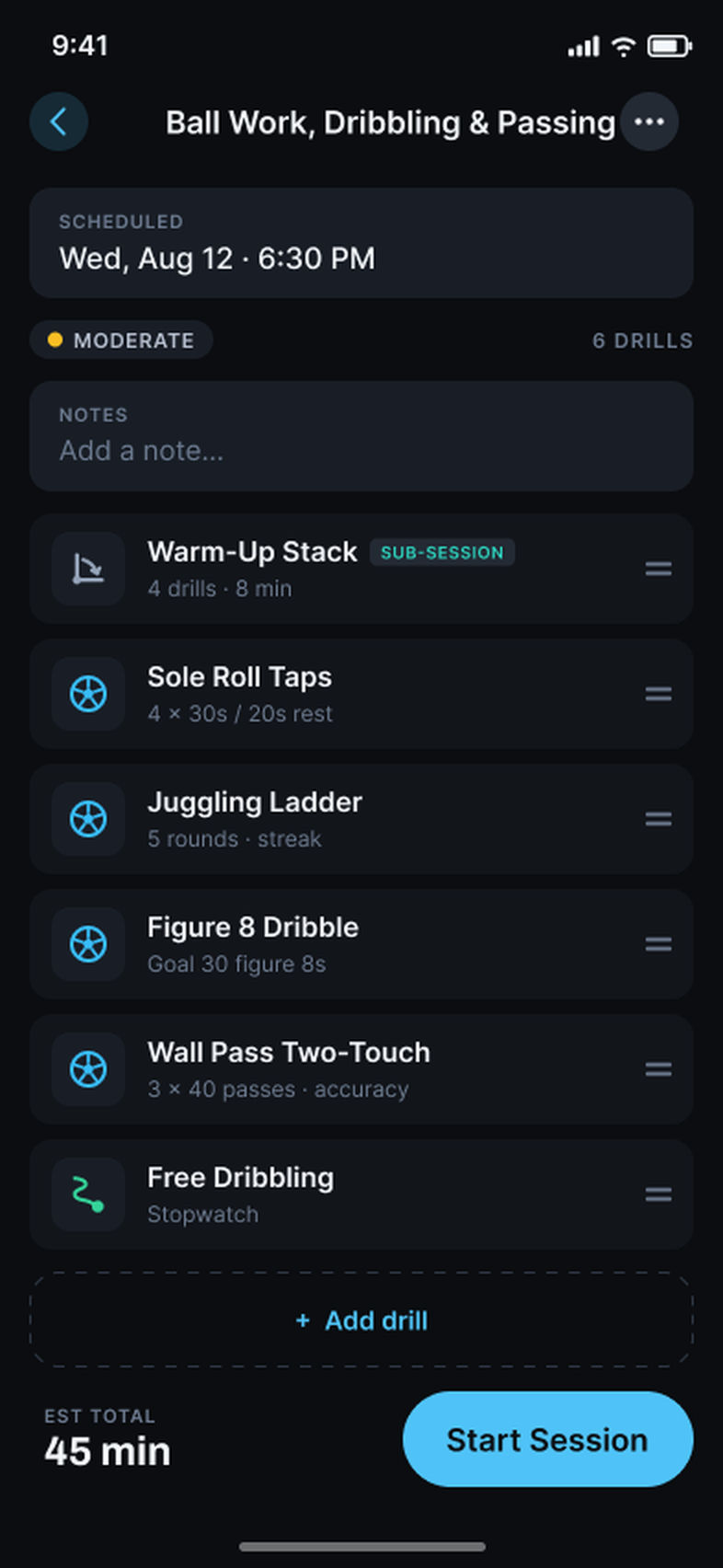
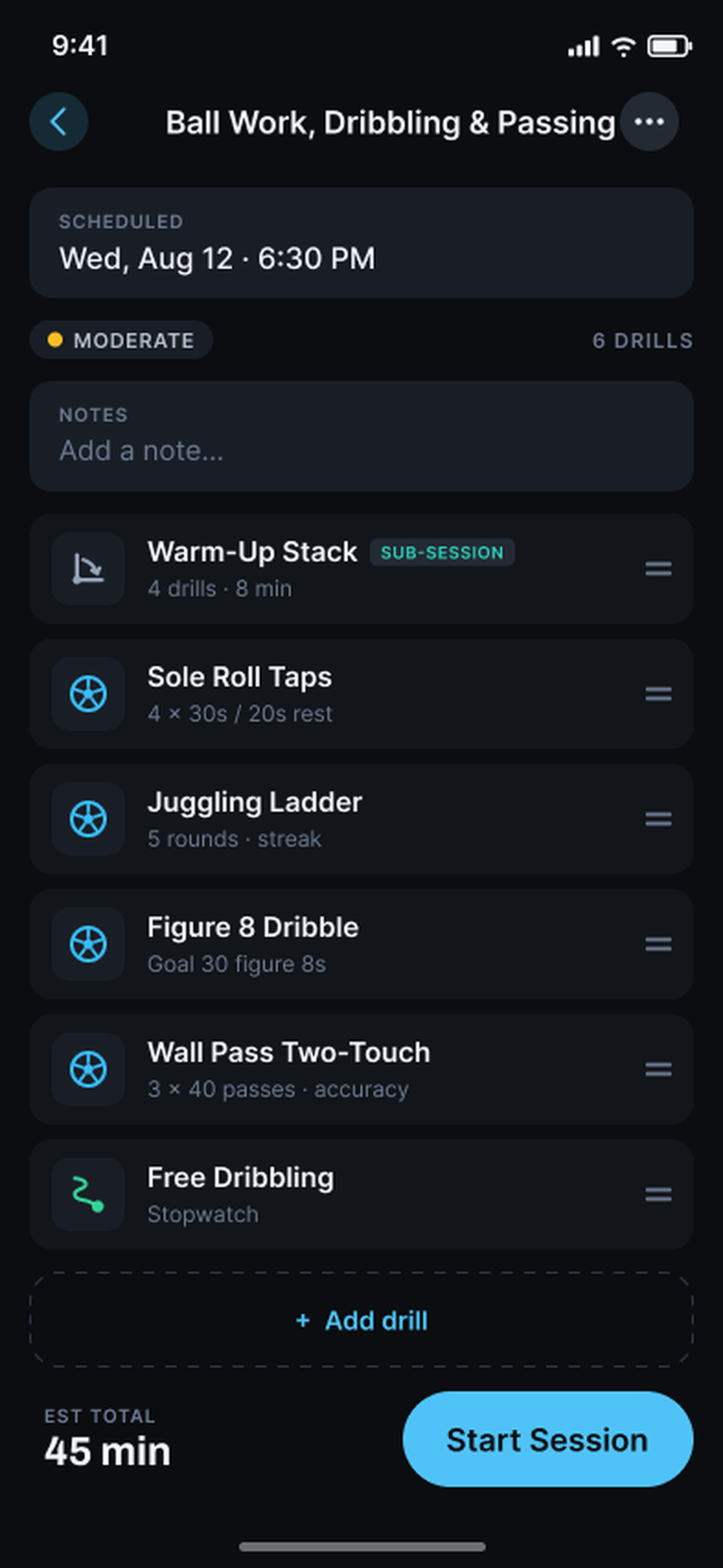
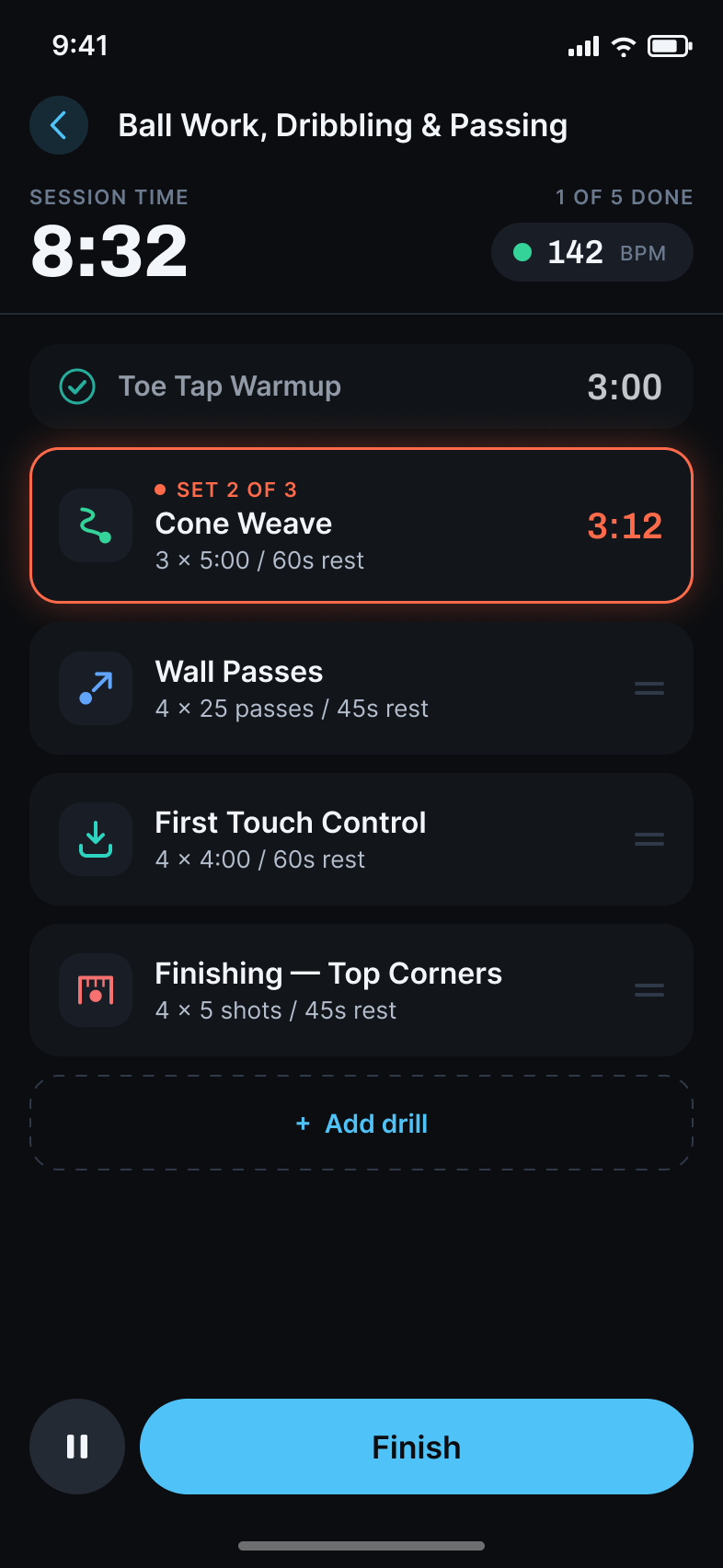
A session in Garra is a plain list: every drill with its sets, work, and rest, a load estimate, and one Start button.
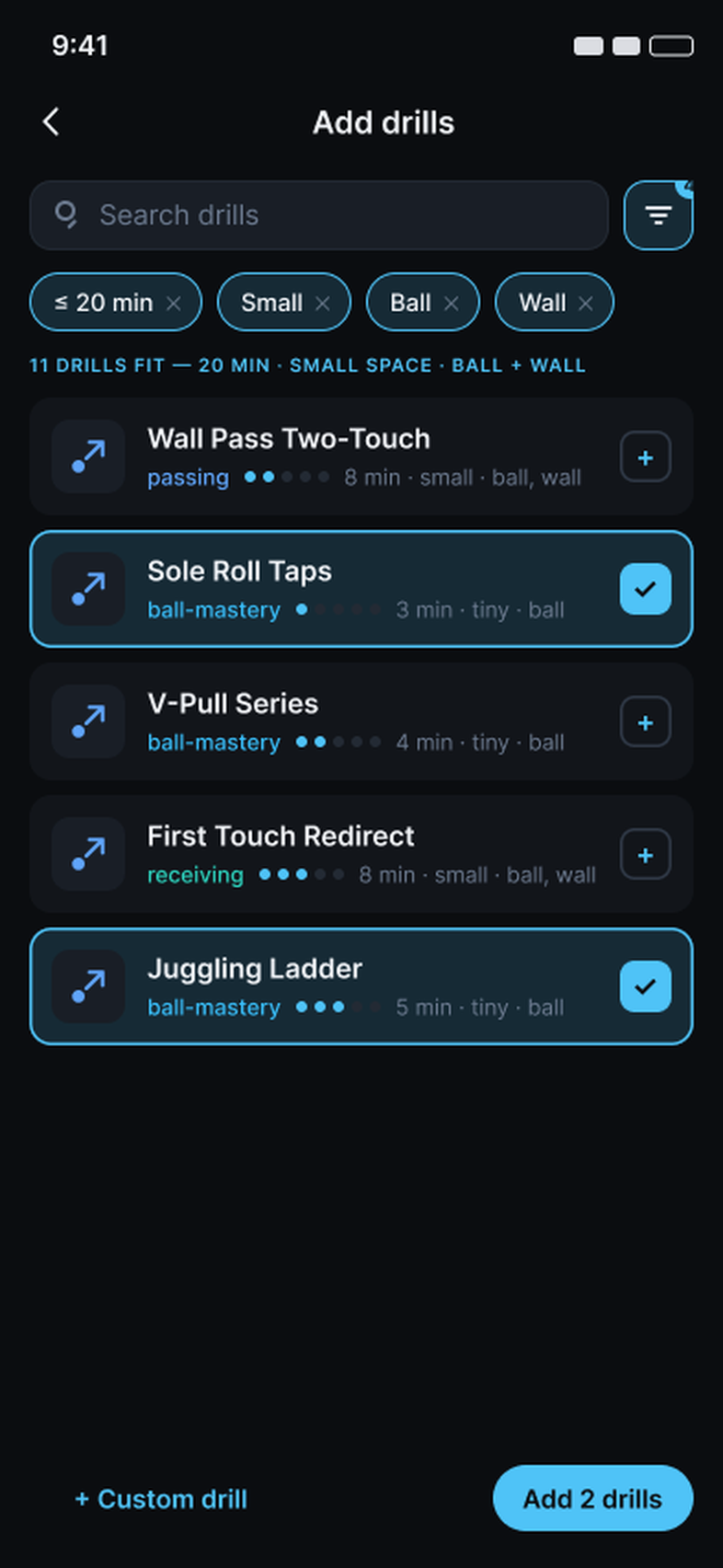
- Pull from a football catalog of 150+ drills, filtered by what you actually have: time, space, and gear. Twenty minutes, a small space, a ball and a wall is a real session.
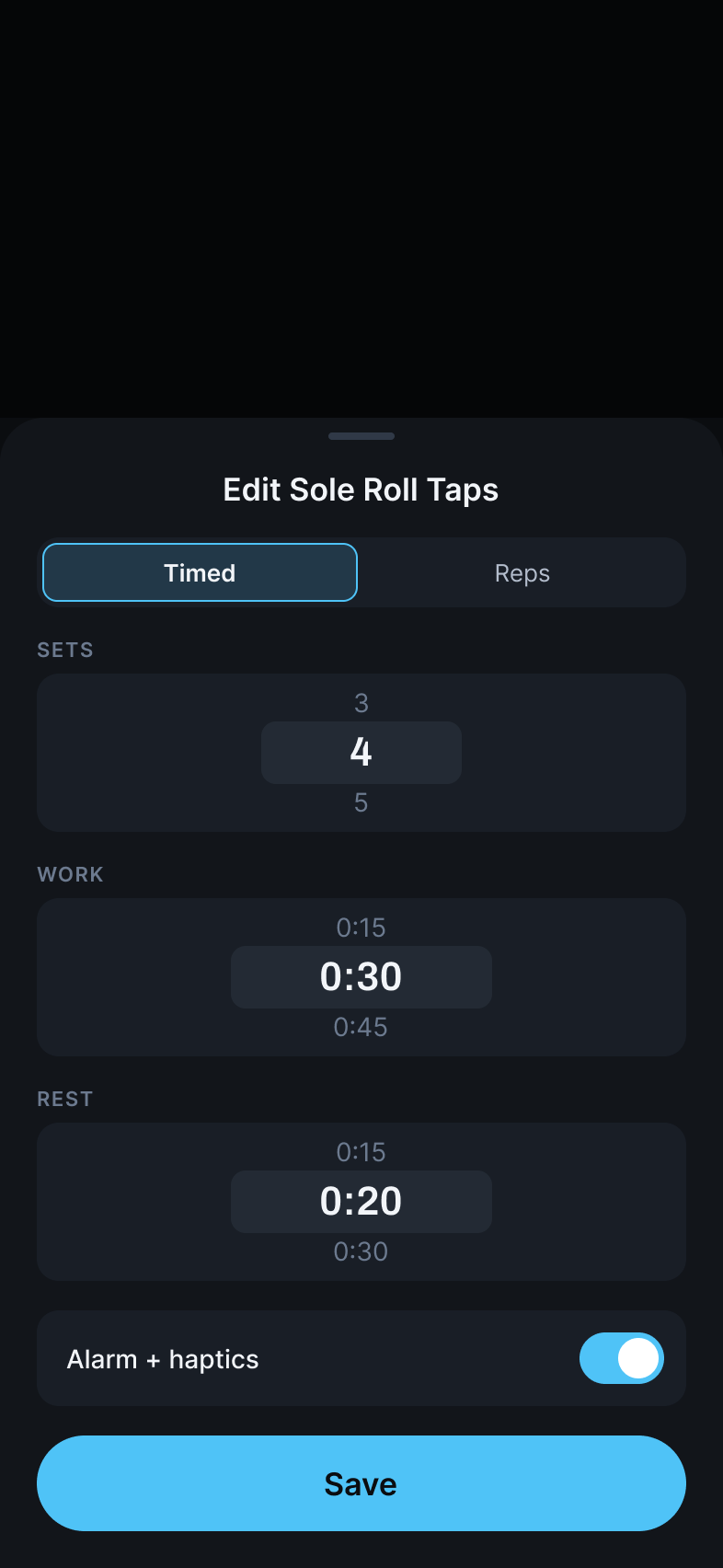
- Set up every drill in a few taps: sets × work / rest, rep counts, volume goals, or a plain stopwatch. Alarm and haptics per drill.
- Fold a warm-up stack in as a sub-session, drag rows to reorder, and watch the estimated total update as you build. Session names come from the drills themselves; you never type one.
- Your drill isn't in a catalog? Write it once and it runs and logs like everything else.
Schedule it
Plan the week. Or just queue it up.
Some athletes train in fixed windows: after the team, after the private, twice in a day. Others train whenever they get to the field. Garra doesn't pick for you.
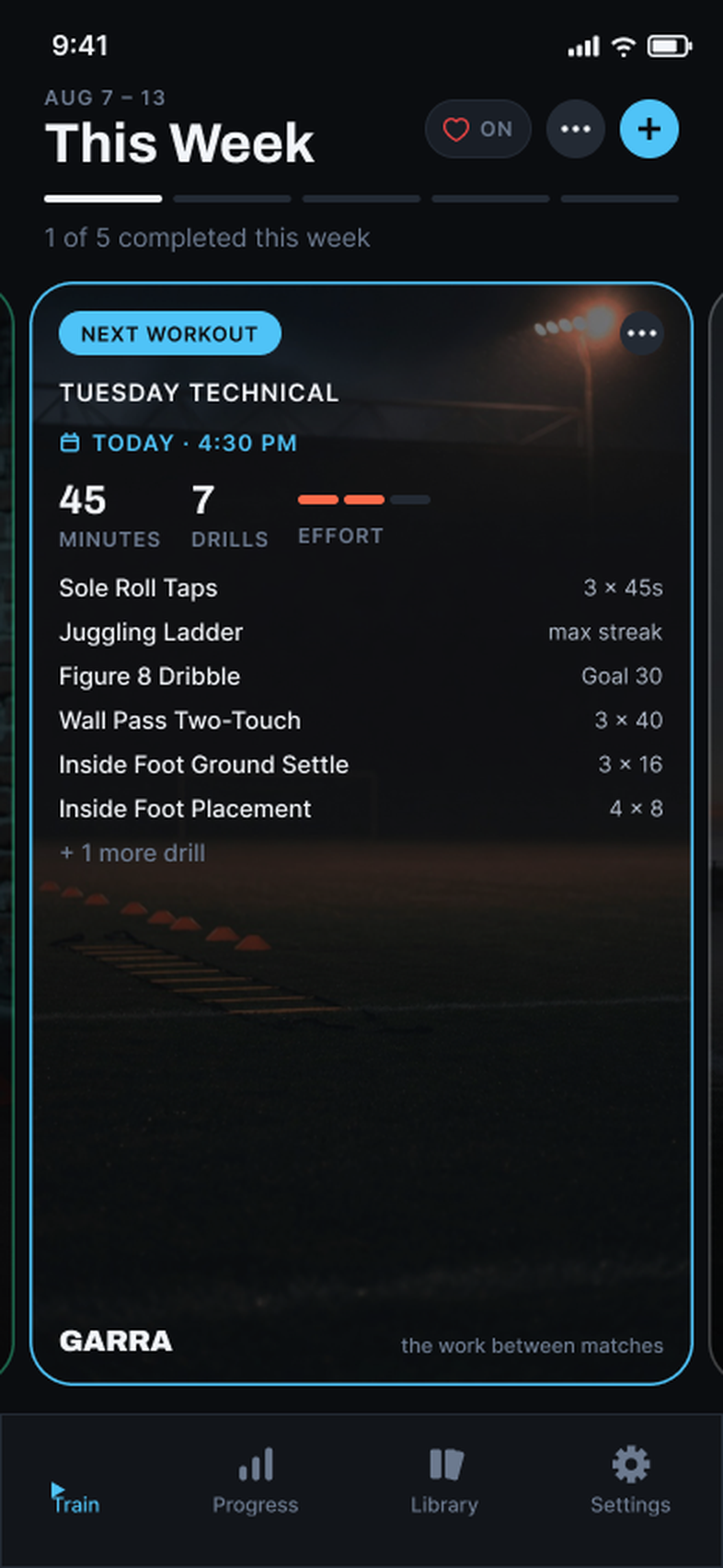
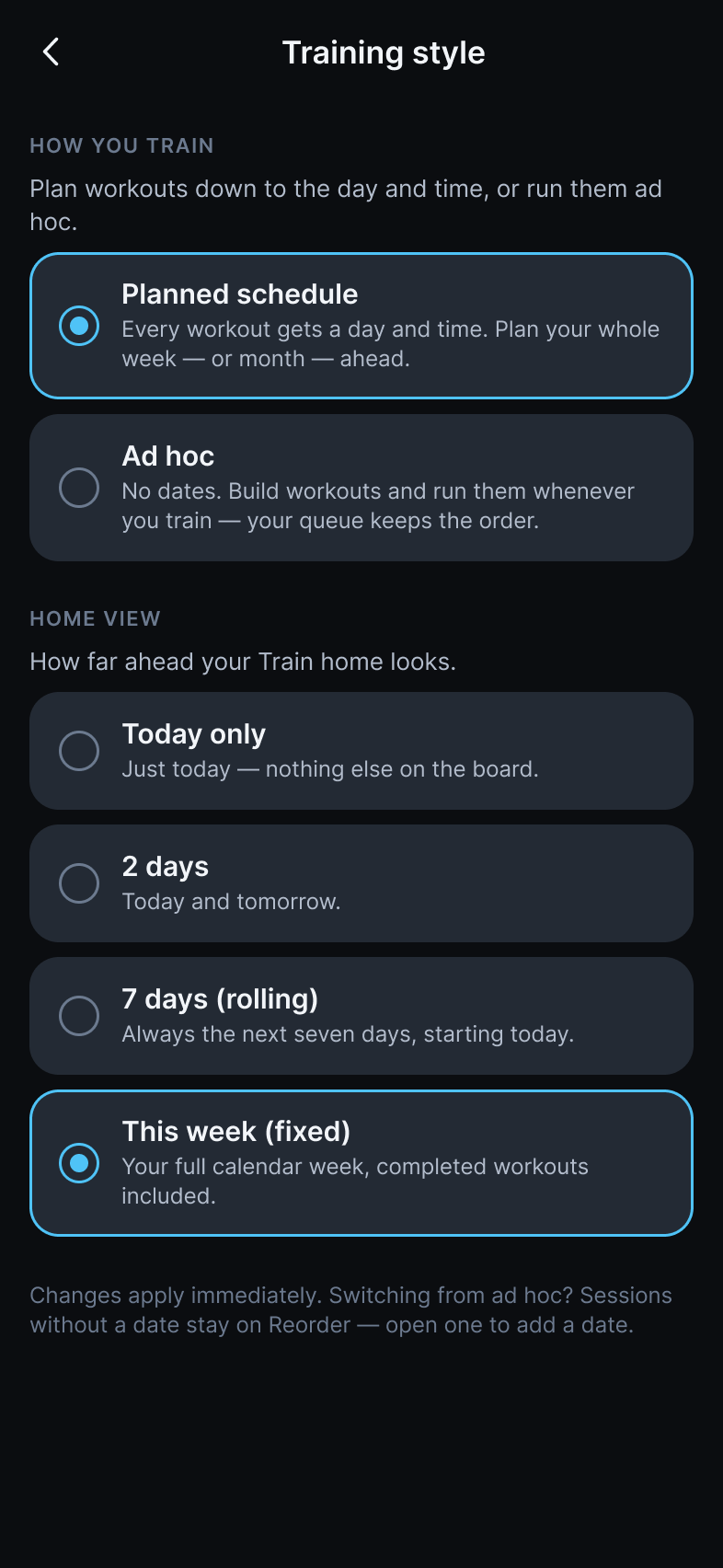
- Planned schedule. Every workout gets a day and a time. Lay out the whole week or month ahead, multiple sessions a day.
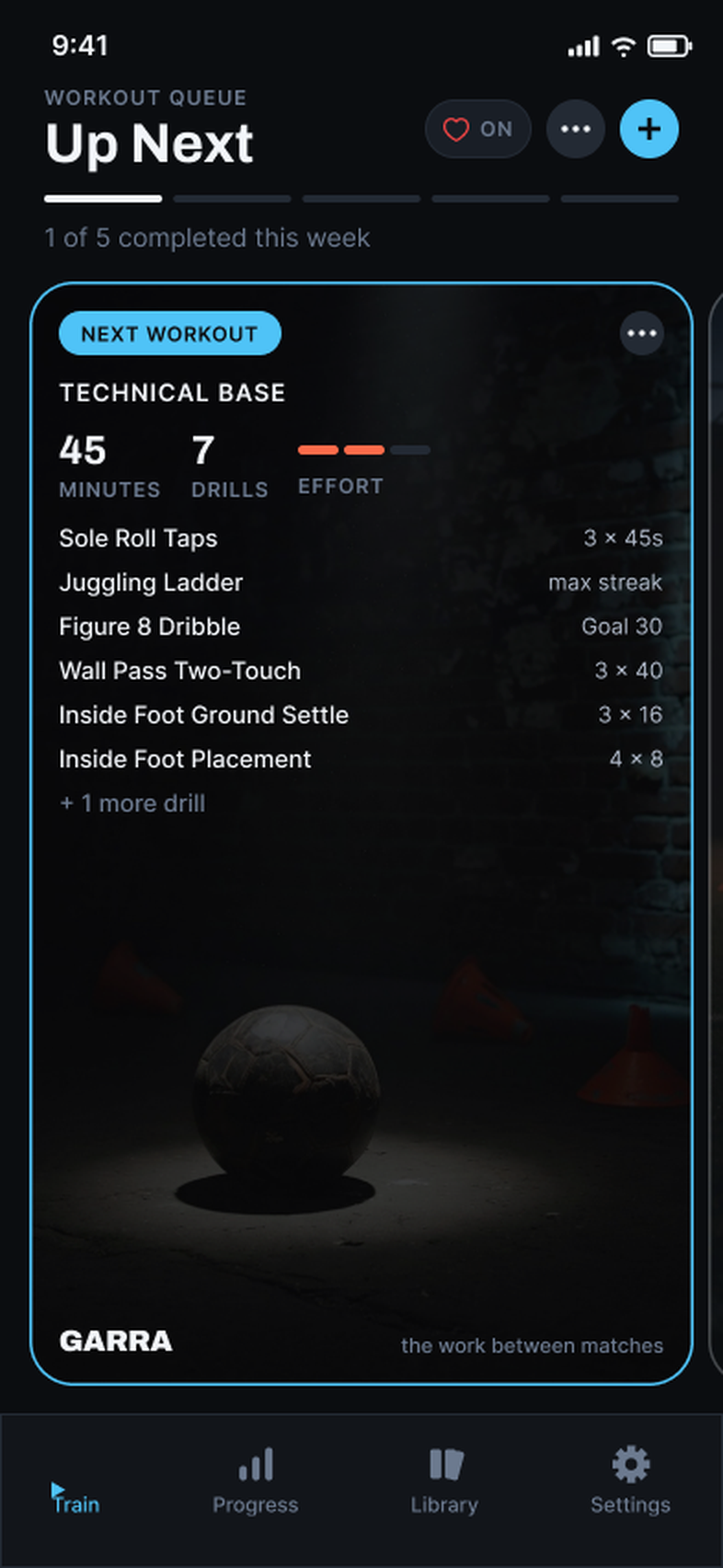
- Workout queue. No dates, no times. An ordered list: run the next one whenever you can train, skip it, or move it to the back.
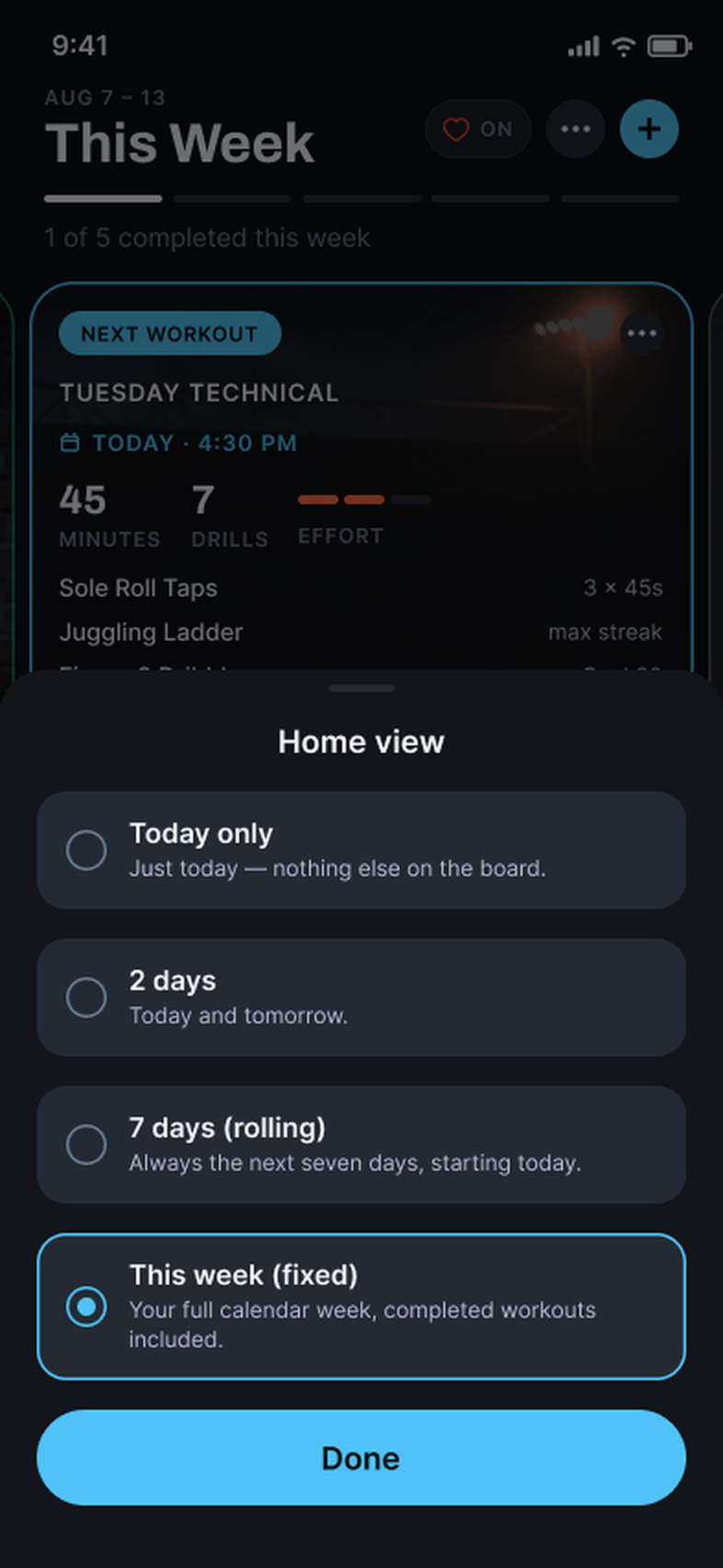
- Your home view. Today only, today and tomorrow, a rolling seven days, or the fixed calendar week. The home screen shows exactly the range you asked for. No streaks, no nagging.
- Change your mind mid-season: switch styles from Settings and nothing is lost. Dateless sessions just wait for a date.
Work it
Start the session. The phone keeps count.
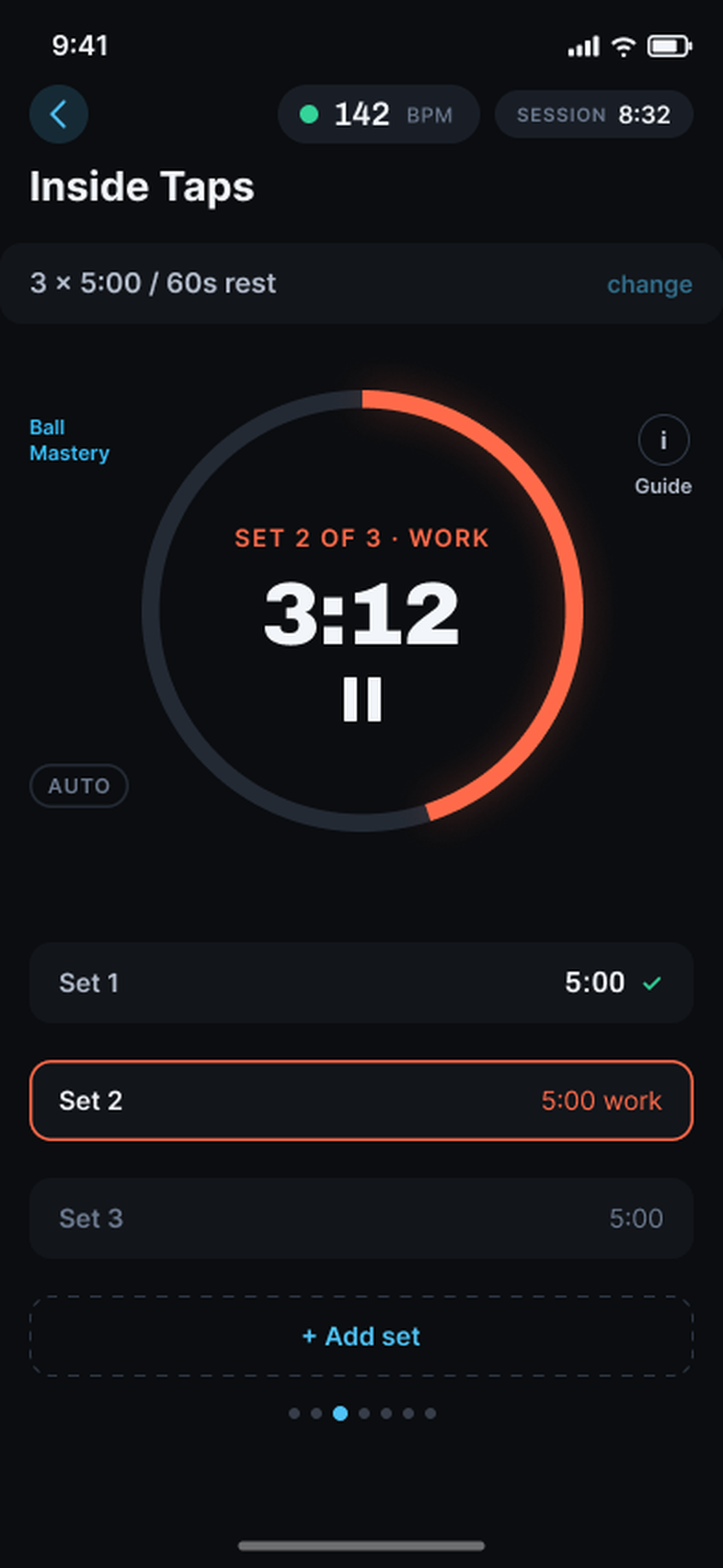
Hit Start and stop watching the phone. Session time, live heart rate, and a drill card that always knows which set you're on.
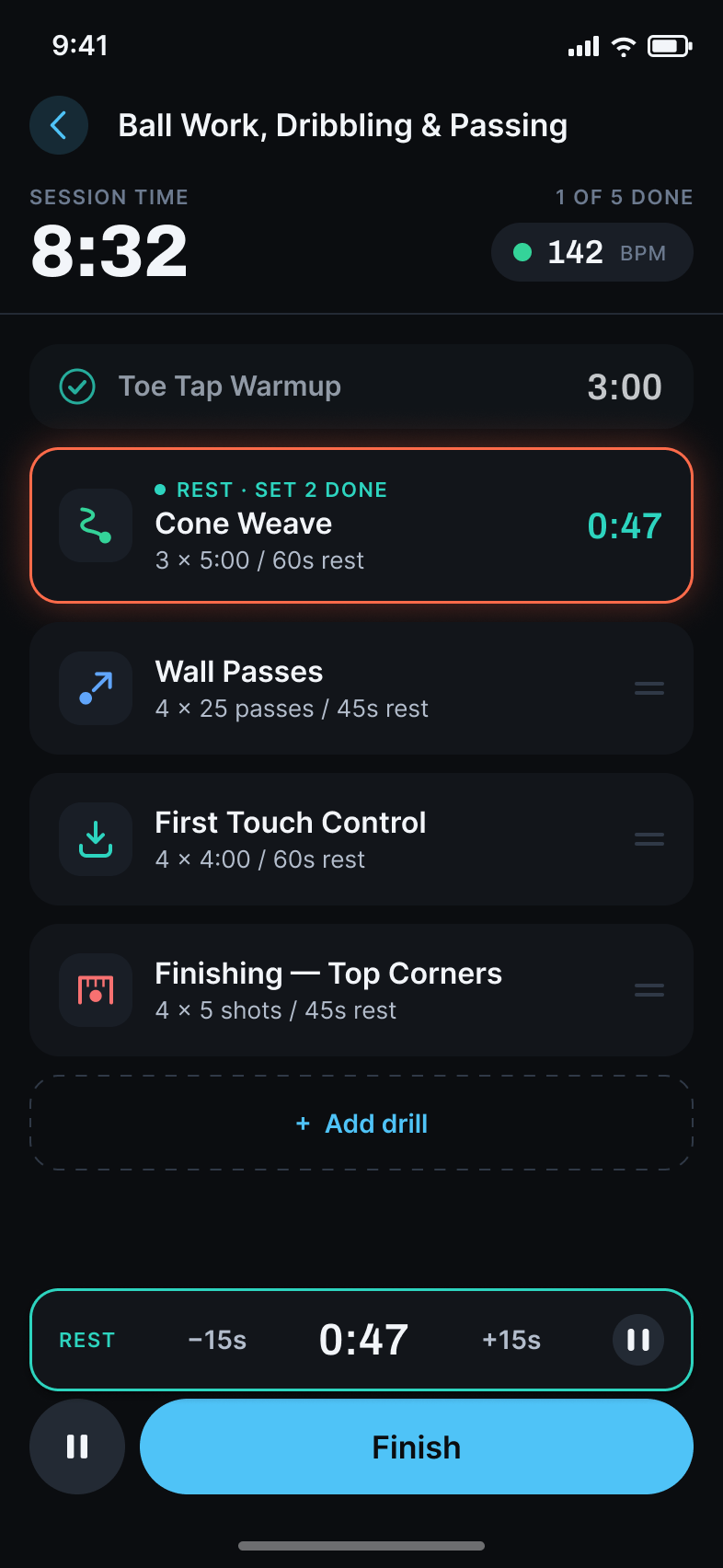
- Work is ember, rest is mint — readable at arm's length in sunlight, set after set.
- Alarms and haptics call the turns, so you play the drill instead of babysitting a timer.
- Rest runs on its own bar. Stretch it or cut it 15 seconds at a time, then start the next set when you're ready.
- Live heart rate from Apple Watch or a BLE chest strap; if you wear both, the strap wins. Add a drill mid-session and the session keeps running from the mini player wherever you go.
Instruments, not entertainment
Claw, not theater.
Grit is logged minutes, honest rest, and a weak-foot number that went up. It is not a flame icon.
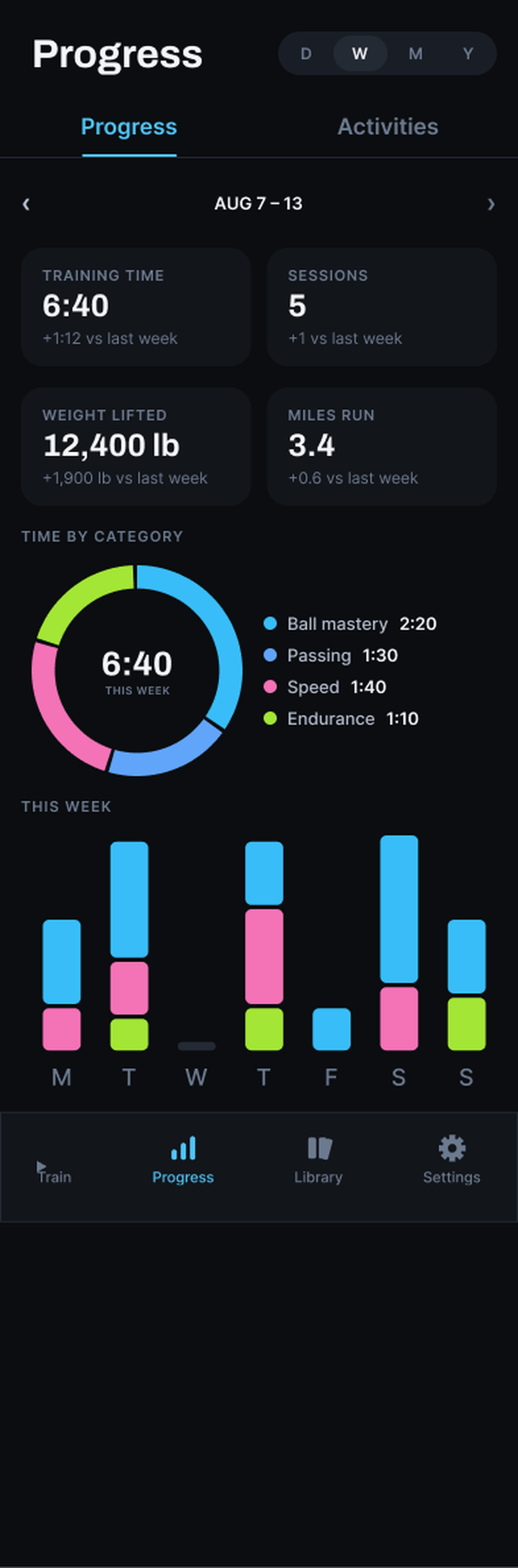
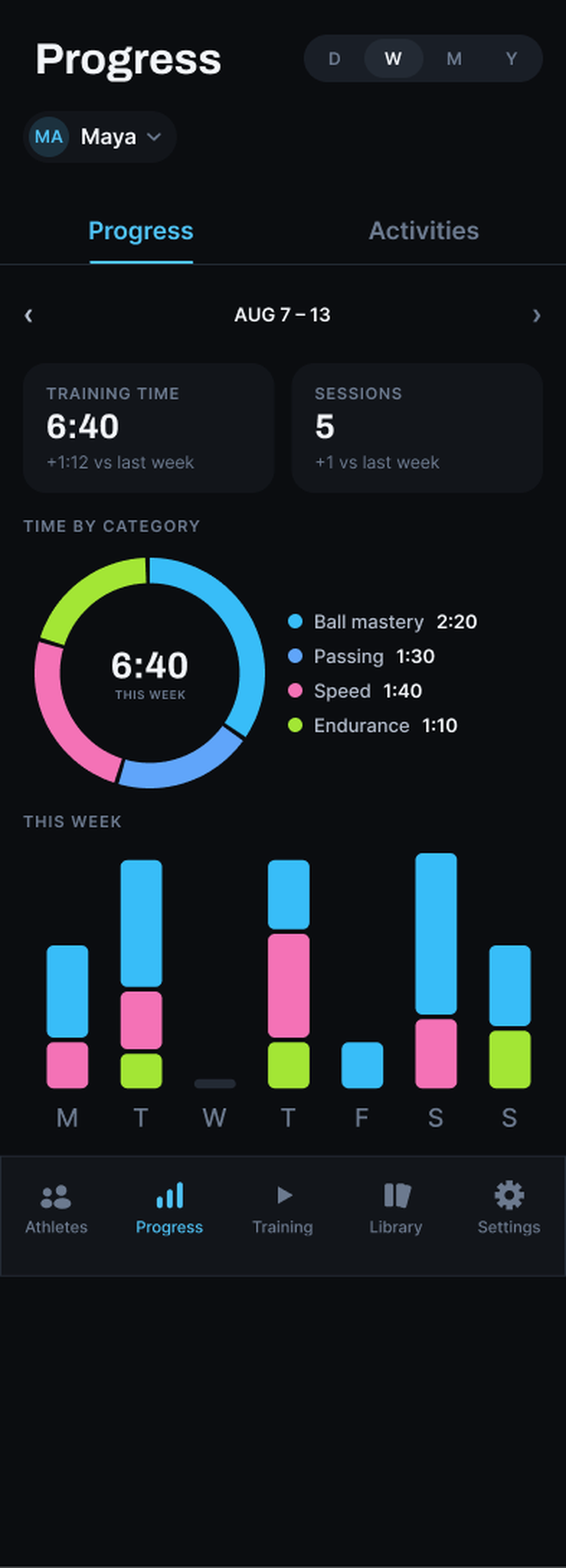
- Training time by category: ball mastery, passing, speed, endurance. By week, month, or year.
- Heart-rate zones and sprint times from every session, plus eight ways to log the work, including left and right.
- Per-drill history: accuracy, best times, max streak, volume. The numbers that prove the weak foot is catching up.
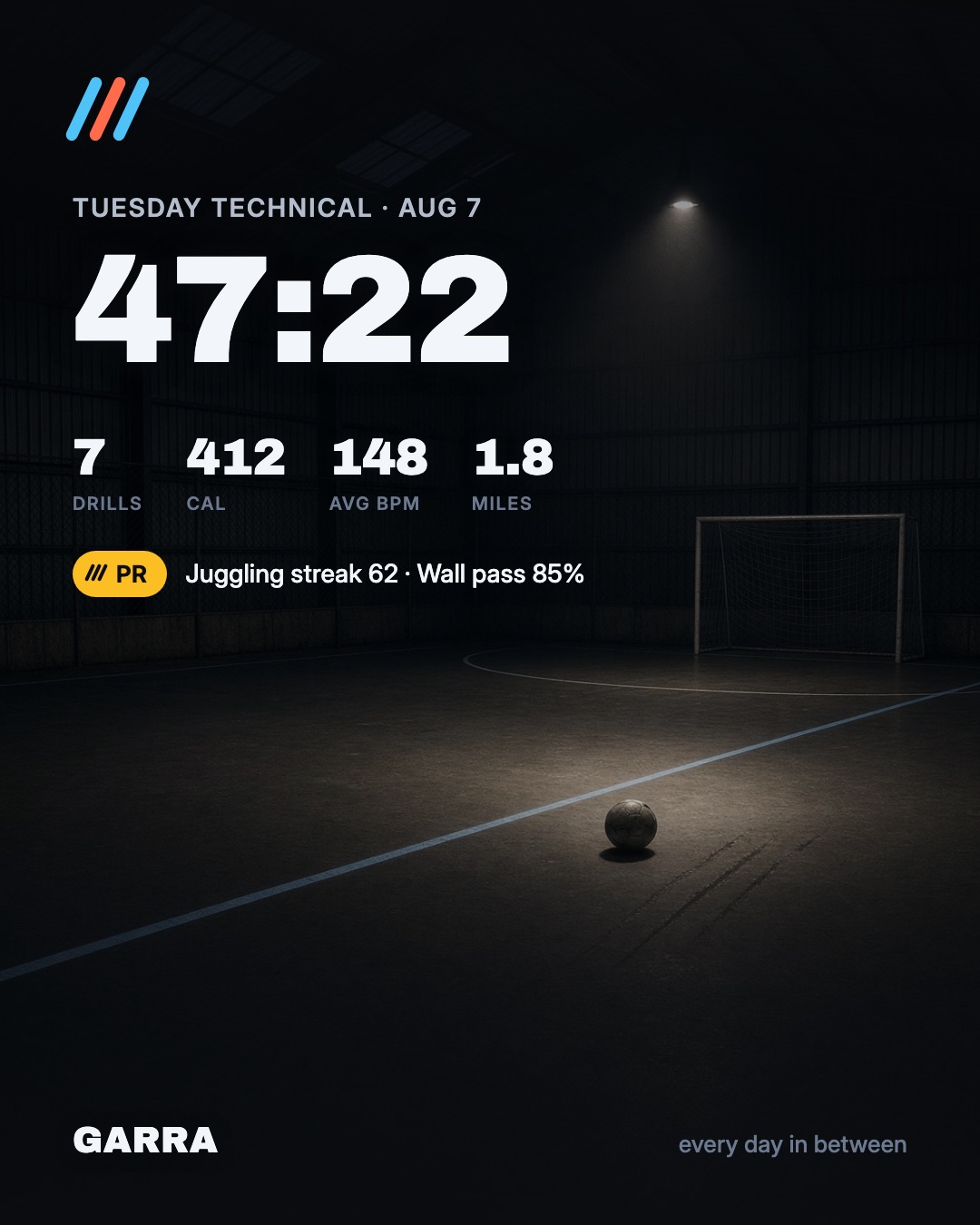
- Share a card or send it to Strava. No feed, no public profile, no audience required.
GARRA COACH
Garra Coach · for parents and coaches
They do the work between matches. Now you can see it.
Garra Coach is a separate iPhone app for everyone around the athlete: the parent turned taxi driver & after-school coach, and the coach who runs the team. One athlete or a hundred, the job is the same. You give the rides, the time, and do endless laundry, and the work itself happens where you can't see it. Garra Coach puts that work on your phone: what they planned, what they finished, and whether it's adding up. You get accountability. They get a reason to own the plan. The questions on the drive home get shorter.
Coming to iPhone alongside Garra.
-
Follow-through
What they planned, and what they did
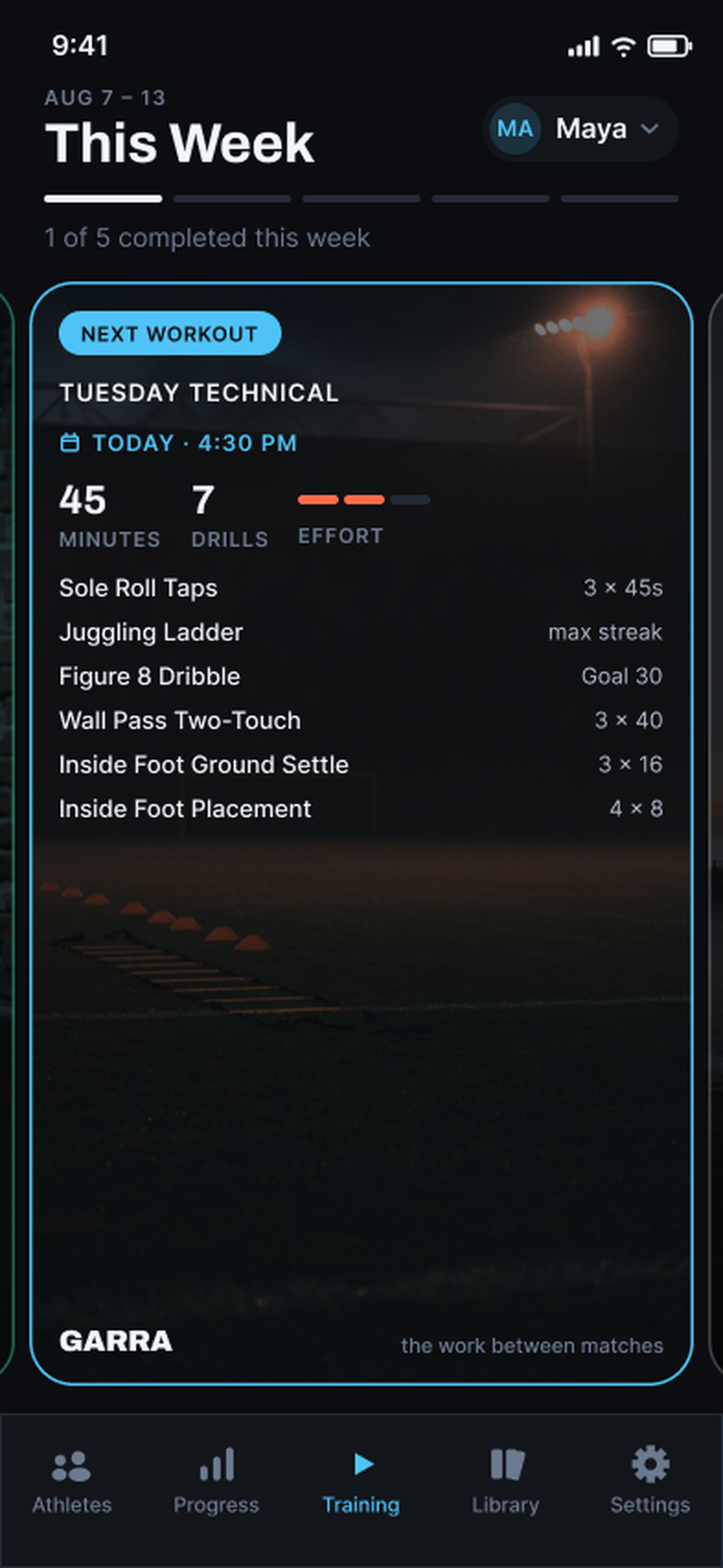
Every session they schedule shows up on your phone with its day and time. Finished ones are marked Completed, and a push tells you the moment it happens. You don't have to ask, and they don't have to report.
-
What you see
Their week and their record
Who trained this week and who hasn't yet. Every scheduled session with its drills, sets, and timing. Progress by category, heart-rate zones, and per-drill numbers over months. The weak-foot number that went up, on the day it went up.
-
The full record
The same numbers they see
You get the whole record. Every finished session opens to the numbers the athlete logged, and every drill opens to its history over months. What they see on their phone is what you see on yours.
How it connects
Invite. Approve. Follow.
The athlete sends the invite, the athlete taps Approve, and only then does their training show up on your phone. It's the one time all season they get to be the gatekeeper, and it takes about a minute.
-
01
The athlete sends the invite
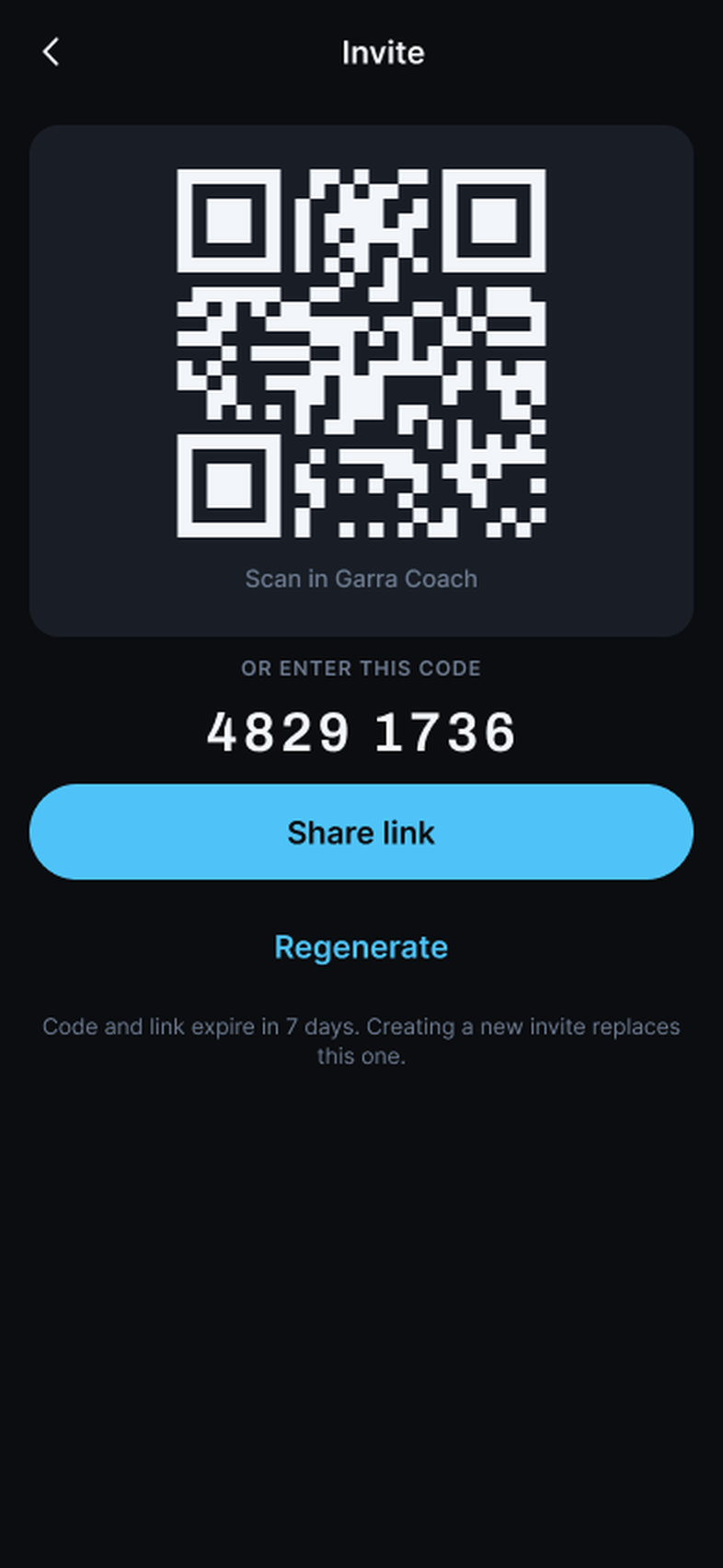
From Settings › Coaches in Garra: a QR to scan on the spot, an 8-digit code to type in, or a link to text you. It expires in 7 days.
-
02
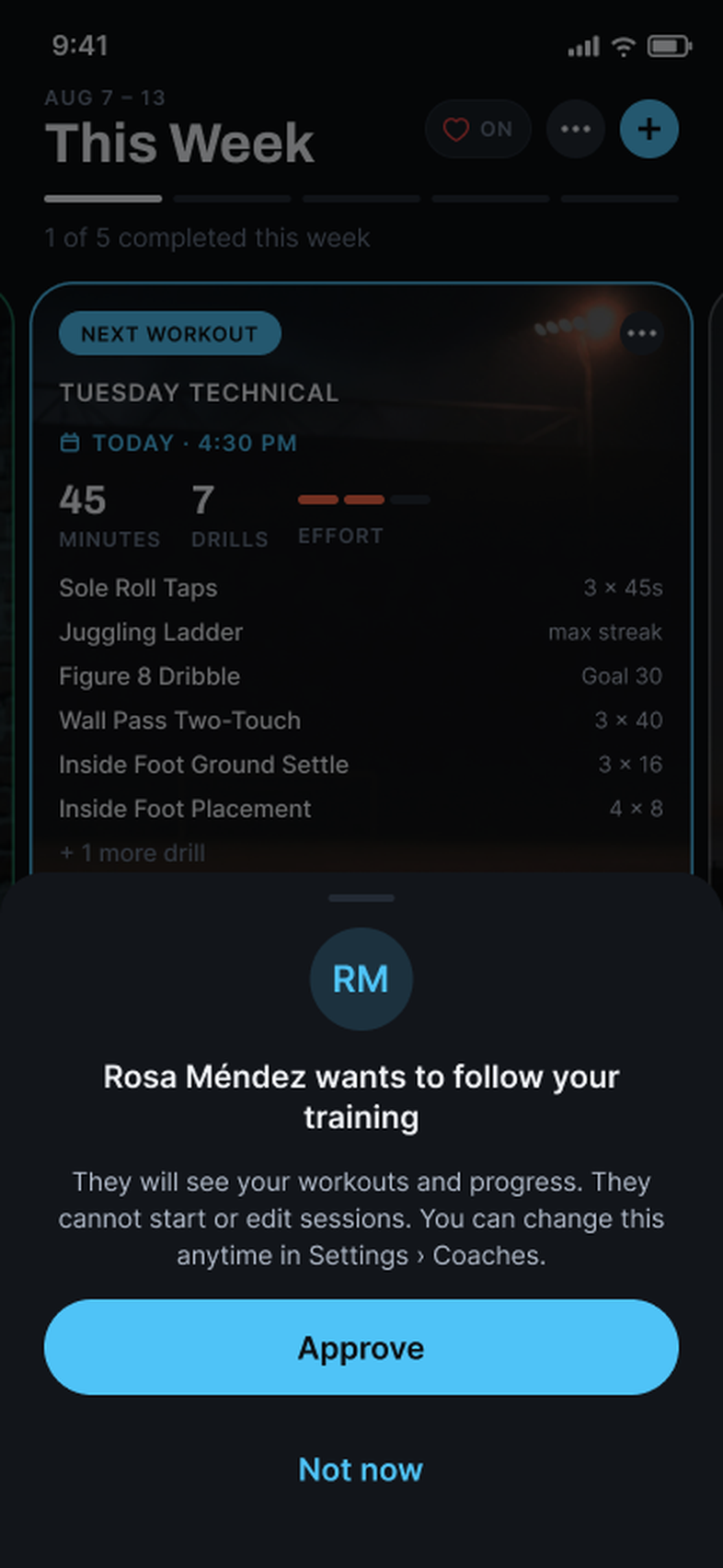
They approve you
Your name shows up on their phone with what you'll see and what you can't. They tap Approve, or Not now. They can remove you later from the same screen.
-
03
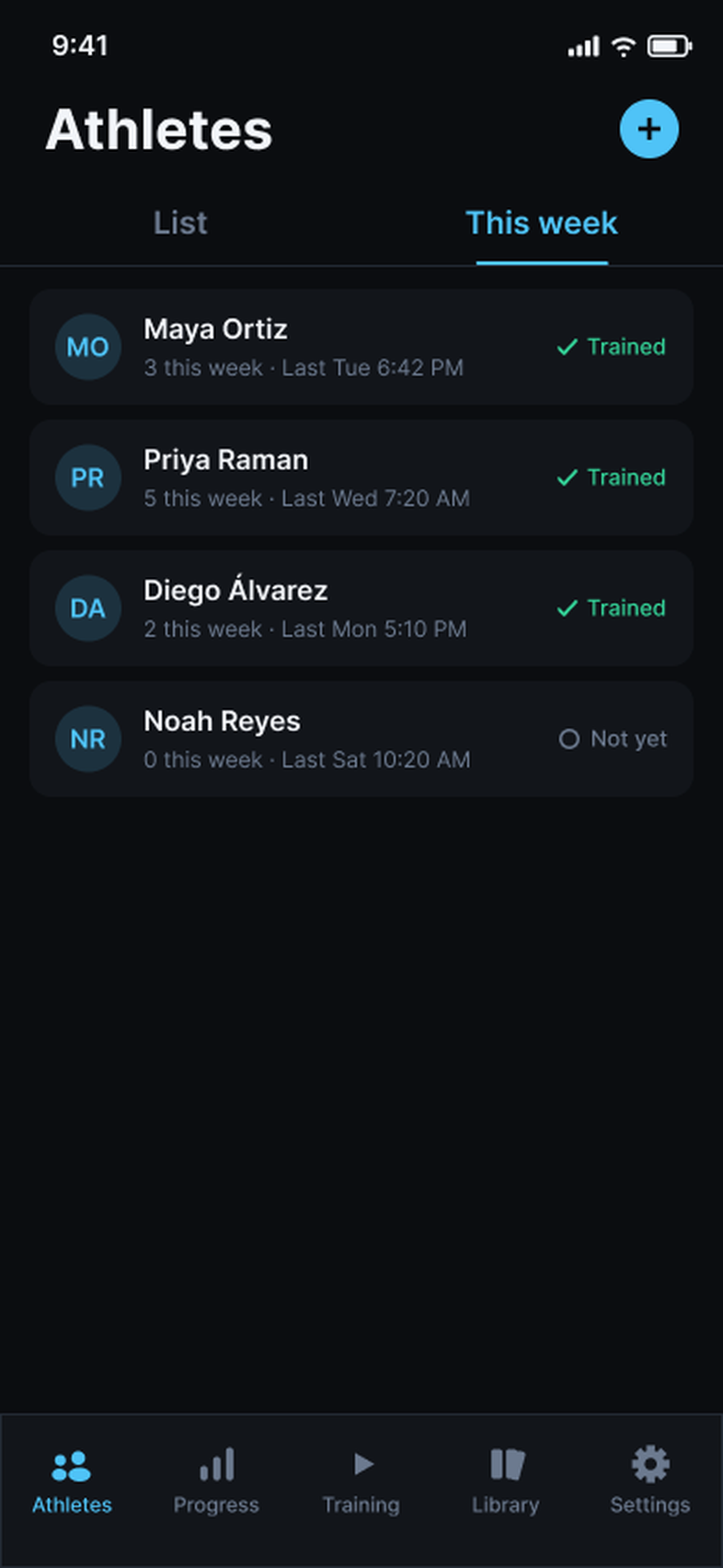
You follow the week
Who trained, who hasn't yet, and when they last did. Tap a name for their sessions and their Progress.
Safety
Nothing social. Ever.
Garra and Garra Coach have no social network in them and never will. There is no feed, no followers, no comments, and no direct messages, and there is no way for an adult to contact an athlete through the app. The only connection is the one the athlete approves, it carries training data one way, from their phone to yours, and they can end it anytime from Settings › Coaches.
The word
Garra is Spanish for claw — grit, in football.
In football it means the fight you bring when the other side is bigger. Uruguay called it garra charrúa. Paraguay calls it garra guaraní. The app is named for that — and built so the last breath has a clock, a plan, and a record.
En tu idioma
Four languages. One word.
Train in the language you think in. Every drill's setup, execution, and coaching cue come in English, Spanish, Mexican Spanish, and Portuguese.
-
EN
English
Train with claw. The whole catalog, written the way a coach writes it.
-
ES
Español
Entrena con garra. La palabra no necesita traducción — la app tampoco.
-
ES-MX
Español (México)
El mismo español, con las palabras de la cancha en México.
-
PT
Português
Treine com garra. A palavra também é sua.
Session names are generated from your drills — in your language. It follows your iPhone's language, and you can switch anytime in Settings.